
Manual Scanning Path and Power Modulation
Introduction
The beam scanning path can be set with a special file format which is described in the Manual Scan Path section of the input file description.
On this page, we present some samples.
Single Track
Specify two points: the start and the end of the track. The file has to have at least three data columns, separated with spaces: time (seconds), and the x- and y- position (meters) of the laser spot at the time. If the input file has 3 columns, power and width are set through the setup form.
0 0.001 0.001
1.25e-05 0.001 0.006
Download the full file here.
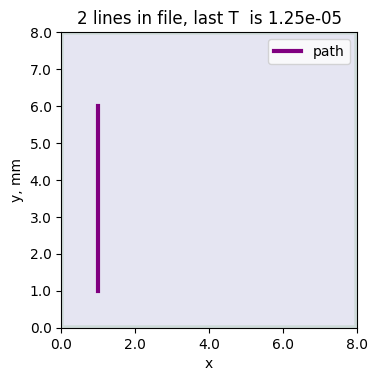
The file can be used in the input as:
{
  "ScanStrategy": {
    "Type": "XYpositions",
    "XYpositions": {
        "sourceFile": "XYscan-singletrack.dat"
    }
  }
}
Several Tracks on one Substrate
If the input file has 5 columns, power and width are read from file.
In this sample, the short tracks have equal length, but varied scan speed and power. Two points are specified for each track: the start and the end.
The power is turned off at the end of each track. The time on each line has to be higher than the time on the previous line, thus, the small time value is added for the start of each track for sharp changes.
0 0.0015 0.001 0 0.0001
1e-12 0.0015 0.001 150 0.0001
0.001 0.0021 0.001 150 0.0001
0.001000000001 0.0021 0.001 0 0.0001
0.002 0.0015 0.002 0 0.0001
0.002000000001 0.0015 0.002 200 0.0001
0.003 0.0021 0.002 200 0.0001
0.003000000001 0.0021 0.002 0 0.0001
0.004 0.0015 0.003 0 0.0001
0.0040000000010000005 0.0015 0.003 250 0.0001
...
Download the full file here.
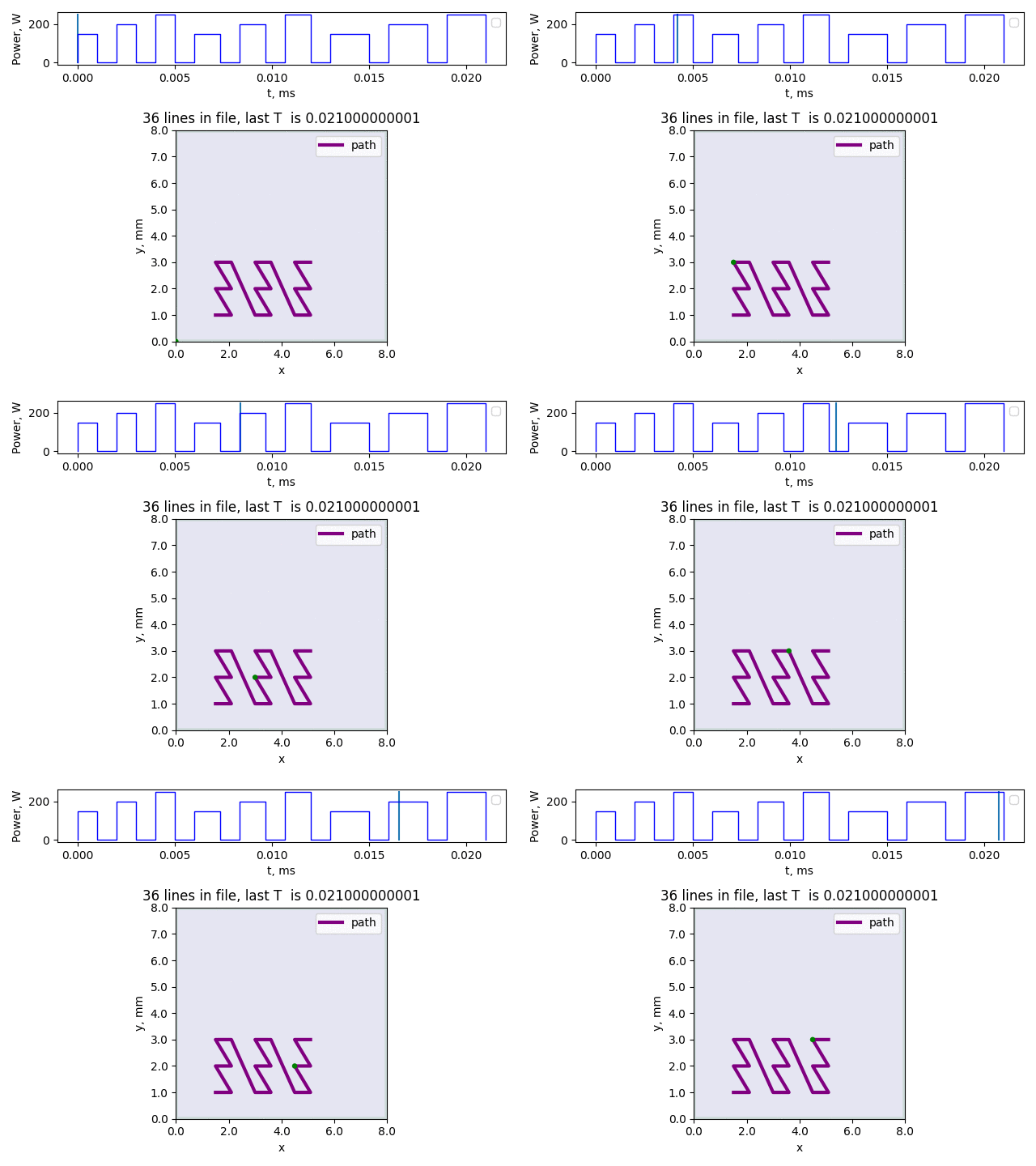
The file can be used in the input as:
{
  "ScanStrategy": {
    "Type": "XYpositions",
    "XYpositions": {
        "sourceFile": "XYscan-samples.dat"
    }
  }
}
The beam power and spot width specified elsewhere (in the ScanStrategy.Beam section) will be ignored, since their values are given in the 4-th and 5-th columns of this file.
Complex Path
The scanning path contains many points that follow the high-resolution curve.
0.0 0.001 0.001
1.953125e-05 0.001046875 0.0010574025148547635
3.90625e-05 0.00109375 0.001106066017177982
5.859375e-05 0.001140625 0.001138581929876693
7.8125e-05 0.0011875 0.00115
9.765625e-05 0.001234375 0.001138581929876693
0.0001171875 0.00128125 0.001106066017177982
0.00013671875 0.001328125 0.0010574025148547635
0.00015625 0.001375 0.001
0.00017578125 0.001421875 0.0009425974851452366
...
Download the full file here.
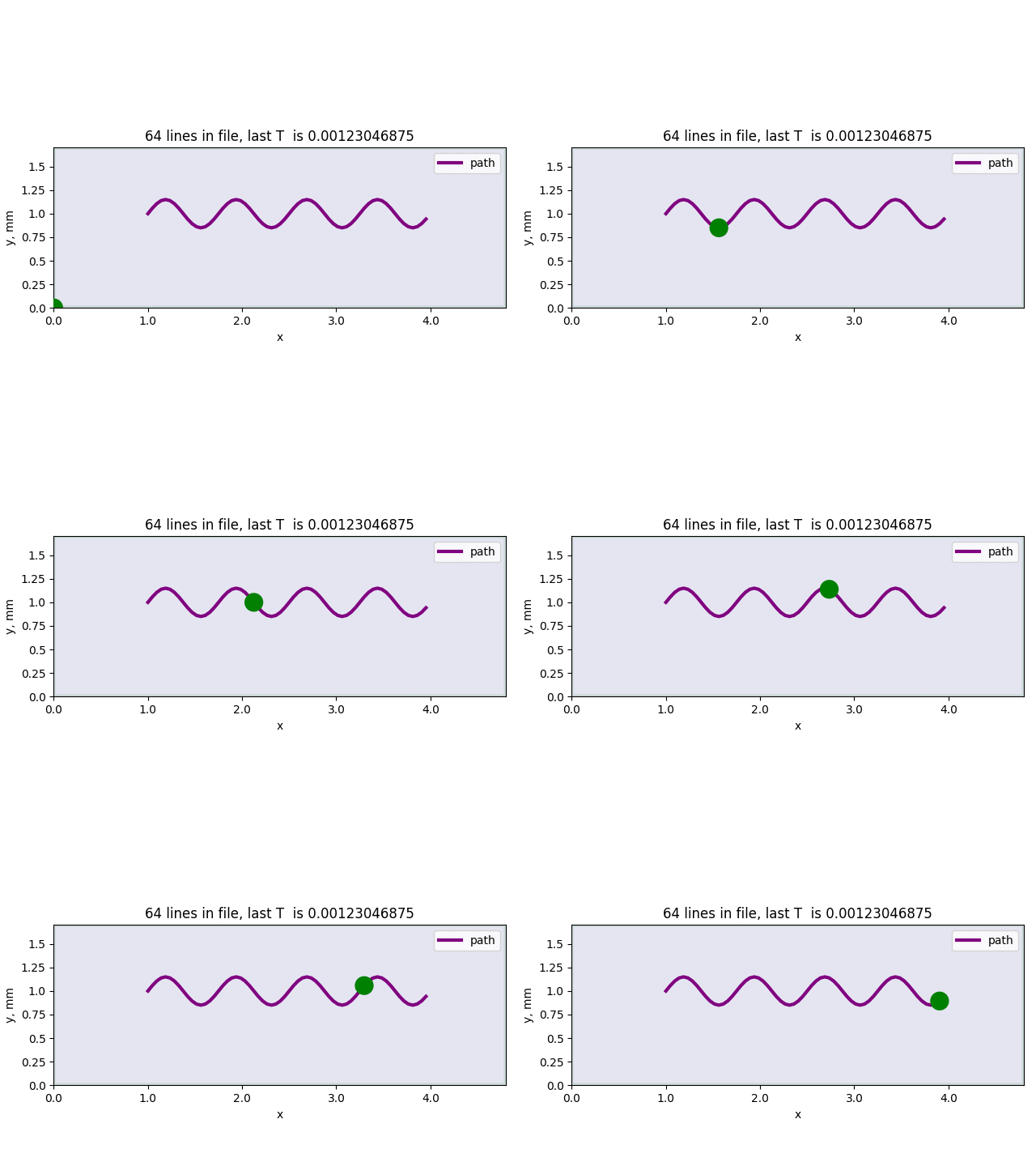
Wobbling laser
The scanning path contains many points that follow the high-resolution wobble path. The beam power and beam width can be set in the calculation setup form.
0.0 0.00115 0.001
2.6041666666666666e-06 0.0011448319298766932 0.0010574025148547635
5.208333333333333e-06 0.0011185660171779822 0.001106066017177982
7.8125e-06 0.0010761525148547636 0.001138581929876693
1.0416666666666666e-05 0.0010249999999999999 0.00115
1.3020833333333332e-05 0.0009738474851452366 0.001138581929876693
1.5625e-05 0.000931433982822018 0.001106066017177982
1.8229166666666665e-05 0.000905168070123307 0.0010574025148547635
2.0833333333333333e-05 0.0009000000000000001 0.001
2.34375e-05 0.0009176680701233069 0.0009425974851452366
...
Download the full file here.
